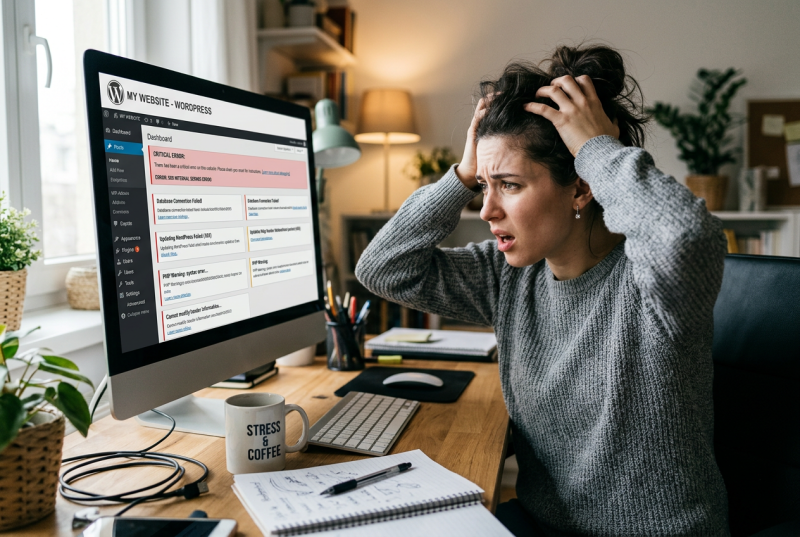
Are you having problems leaving comments on blog sites that use the WordPress platform?

More than a month ago something odd began happening whenever I tried to leave a comment on some of the WordPress blogs I follow.

The platform kept asking me to log into WordPress before it would allow me to post a comment. So I’d log on and post the comment. But then if i wanted to leave a comment on a different post on the same blog, I’d get asked all over again to log in. Do that multiple times with different sites and it beomes very frustrating. and very time consuming.

I then discovered that many other WordPress users were having the exact same issue. One of them — Hugh from hughsviewsandnews — has taken up the cudgels on our behalf and pressing the WordPress technical team for an explanation and a solution.

The problem it seems is a bug in the system. Now I have zero coding or programming knowledge but even I could have come up with that explanation.

As for the solution – “they’re working on it.” Reading between the lines, we shouldn’t expect a resolution any time soon. however.

In the meantime, they suggest one workaround it to stay logged in to your WordPress account. That should mean you don’t get asked to sign in again if you want to leave a second comment on a site you’ve already commented on.

This tip doesn’t work for everyone but it’s the only fix that’s on the cards right now.

Maybe you are one of the lucky ones and haven’t encountered this snag. If so, I’m envious. But if you have noticed something awry, take a look at Hugh’s blog to find a more detailed explanation of what’s going wrong.

His original post explaining the problem is here and his recent update on the situation can be found here.

19 responses to “WordPress Comments Beset by Technical Problems”

  1. thanks for highlighting this, I am having to log in every time I comment and hadn’t put two and two together that it came with the fancy new comment button. Hopefully it will get sorted out soon.

  2. Seriously thank you. This has been driving me crazy but I thought maybe it was just me. Also I’ve tried logging in and staying logged in to my account but it doesn’t seem to make much difference. WordPress are cheapskates they don’t seem to be trying very hard to fix things that don’t work. Thanks again for highlighting this.

  3. Yes, I have this problem with both my blogs. The only workable solution is to comment from my phone fusing the Jetpack app. I’m missing some posts this way but it’s better than the frustration of logging in for every comment and then the comments aren’t always posting

  4. Don’t get me started … I must have re-logged in (not arduous, I don’t seem to need my password, but still ..) about 15 times today alone, in order to comment on other blogs. Let’s see what happens here when I press ‘comment’.

    1. Oh! It must have read the comment first! It accepted it and published with no furher trouble. That’s almost a first ….

  5. Seriously, I wish WP would spend more time working out the bugs with comments and likes so we don’t have to sign in Each.And.Every.Time we want to comment or like something, instead of naffing about with their AI crap!

  6. kaggsysbookishramblings Avatar
    kaggsysbookishramblings

    Thanks for the heads-up on this one. I assumed it was just WP being its usual awkward self and as I’m usually logged in anyway on my PC it wasn’t too much of an issue. But annoying, so I hope they’ll sort it out!

  7. Thanks so much for highlighting the issue and mentioning my post. I’ve chased WordPress for an update, but haven’t heard anything as yet.

    How it should work is that once you log in to comment, that blog will remember you for 30 days (so you don’t need to sign in again). After that, you may need to sign in again to comment. Of course, it was much easier when you only had to sign in to your blog and didn’t have to log in again to comment, but it seems the new comment box WordPress introduced doesn’t offer that option.

  8. I’ve had a few clearly AI generated comments. Complimentary about a particular post, then followed up with a site I and my readers might like to visit. In the bin they go.

    1. I’ve had a few of those too – one or two slipped through the spam filter but have joined the rest of the garbage in the trash can

  9. i am, thanks!

  10. Thanks for the info! 🍁

  11. I think it has to do with additional security measures against scammers and hackers and efforts to protect our blogs from being scraped by AI. I keep getting a message that says they’re just checking my own blog which should only take a second but actually takes longer, and sometimes there’s also a box to tick to prove you’re a human.

    It is annoying, but so are scammers and spammers.

    Sometimes I see what are obviously spam/scam comments in some other blog’s comments where they’ve allowed automatic approval of comments. Mine is set to allow comments once I’ve approved the initial comment but sometimes I am suspicious and I add it to my list of addresses that remain unapproved until I approve them.

    1. If that was the reason, I wish WordPress would just have said so – knowing why something has happened would have reduced my irritation level.

      I do have some moderation filters set up which seem to work well. I’ve not yet found the setting where you can specify certain addresses require additional review. Will have to take a further look at that

  12. I have encountered this issue as well. I initially assumed it was happening because I am not a daily user of WP and only use it sporadically, rather than it being a glitch.

    It is definitely inconvenient to have to log in every time when not using the platform daily.

    1. I’m hoping the problem won’t continue too much longer

  13. I’m having the same problem but I stay logged in so it seems to be only one extra hurdle each time I visit a blog.

    1. I seem to have the problem more when using my iPad rather than my desktop

We’re all friends here. Come and join the conversation

This site uses Akismet to reduce spam. Learn how your comment data is processed.

Trending